
On the Xbox 360, if you’re having issues with your games, or if you just want to purge your game updates, then you can delete your system cache.
Navigate to the Settings tab on the right and select System, then go to Storage.
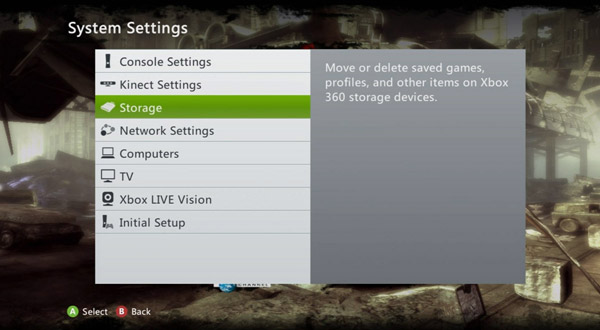
Hi-light your hard drive, but don’t press A, press the Y button instead to select Device Options.
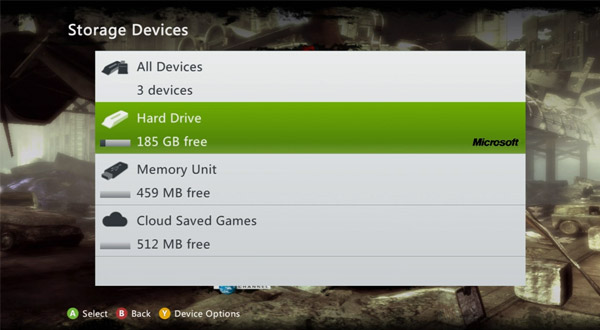
Select Clear Cache.
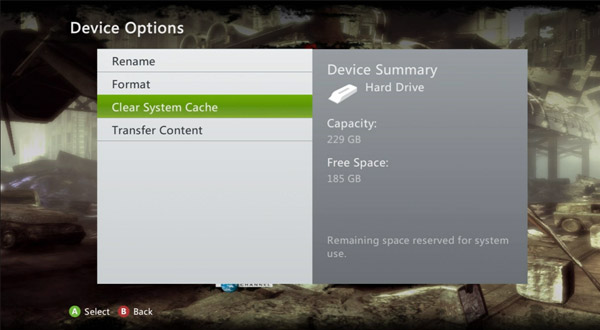
It will prompt you to confirm your storage device maintenance, click Yes.

 Metal Gear Solid Rising: Revengeance – Men-in-Boxes Guide
 ‘Mark of the Ninja’ scrolls & challenge locations guide part 4
 Call of Duty: Modern Warfare 3 Cheats, Hints, and Easter Eggs
 Titanfall – Tips & Tricks
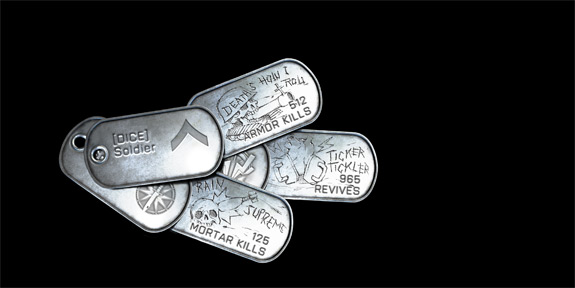 Battlefield 3 Dog Tags List